Don't forget that A Blogger's Books runs a regularly updated writing opportunities' page. Subscribe to this site and you'll be notified when there's a new post to suit your individual needs.
I've searched the web to come up with writing ops of every kind. Most of them on the linked page above are hard-copy writing jobs where you can earn good money in exchange for your hard work. There are however, a few online links too. You will also find small opportunities like tips requests. If you are a poet, start earning by writing greeting cards messages etc.
This page has been updated today, so go check it out.
Wednesday, November 24, 2010

Saturday, November 20, 2010
Blog Jog Day
Thank you for stopping by my blog on International Blog Joy Day, November 21st. Please explore all this blog has to offer, then jog on over to Clogs and Tulips at http://clogsandtulips.blogspot.com.
If you would like to visit a different blog in the jog, go to http://blogjogday.blogspot.com
Thank you and hope to see you again!
You can subscribe to this blog by clicking on the panel to your right. Don't miss out on writing and blogging tutorials, especially if you're a new blogger. You will receive an email in your inbox every time there's a new update. You can un-subscribe any time you like.
If you would like to visit a different blog in the jog, go to http://blogjogday.blogspot.com
Thank you and hope to see you again!
You can subscribe to this blog by clicking on the panel to your right. Don't miss out on writing and blogging tutorials, especially if you're a new blogger. You will receive an email in your inbox every time there's a new update. You can un-subscribe any time you like.
Thursday, November 18, 2010
10 Ways To Create A Popular Blog Post
 |
| make your blog popular |
It’s exciting to create a new blog post. You plan it, think of what you’ll say and how you’ll say it. You write it and go through several edits to make it the best it could be. You want to help your readers achieve a solution in their lives, or to contribute positively to their existence. Or maybe the aim of your blog post is to help them achieve something fantastic. Finally, your post is perfect. You upload it to your blog, only to find that merely 12 of your followers have read it, let alone the strangers browsing on the web.
There are several ways to make all (or most of) your posts popular and give them the very best chance of being found by people looking for that particular topic. I’ve outlined below some of the easiest ways to make all your new posts available for the world to find. It goes without saying that you should begin this process by creating the best possible articles. Well-written and helpful pieces will be propelled above their lesser counterparts.
You've just uploaded your new post. Now give it the best exposure!
Share your posts to make them popular
Share your posts to make them popular
1. Start with the navbar (the panel at the top of your Blogger blog) on your blog. Go here to see what the navbar is and what it does. Click on share. A drop down menu will give you 5 options. You can email your post, share it on Twitter (with a tiny url), Facebook, Google Buzz and Google Reader. Don't forget that you can share a post on Twitter more than once. It's vital that you are on the individual page of the new post rather than on your home page. This shares the actual article to the aforementioned sites, rather than just your entire blog.
Use social media to create a popular blog post
Use social media to create a popular blog post
2. If you're a member of Blogexplosion, sign in and use one of your credits to add a new headline. This is a very underused feature of Blogexplosion. Too many people join up and merely display the blog links on their pages. I always get quite a few reads when I add my new posts' 'headlines' to this site. I know there have been ongoing problems with Blogexplosion but it still offers link opportunities to get your articles listed in a popular directory (giving you more search engine juice).
Use blog directories to create a popular blog post
3 Make sure your blog has been submitted to pertinent categories on various blog directories. Any such link is vital in getting your blog seen as an authority on the web (leading to more widespread views). Furthermore, all your new posts are automatically updated on these directories.
Blog directories include:
BlogFlux
Writing directories can help create a popular blog post
4. If you've joined up with E-zine it's a good idea to write a summary of your post and submit this as an article on this high-ranking site. (This has to be a different, shorter article on the same subject - not just a copy of the same). Ezine allows you two links on each article you submit. Use this opportunity to link to your new post. See number five for the best way to link.
Use correct anchor texts for popular blog posts
5. Whenever you link to your article make sure you're linking with a suitable word - not just 'click here'. For example, if I want to build the reputation of a Relationship website, it's better for me to say 'Visit my Relationship blog' than 'Click here to see my Relationship Blog' when posting links on the web.
Use pinging services to create popular blog posts
6. Get your articles read by pinging all your new ones as soon as they're uploaded on places like Ping-o-Matic and Pingoat. Blog explosion also offers a pinging service for one credit each. If you're already a member you know that credits are earned by visiting blogs, taking part in the battle of the blogs and blog rocket, etc.
Submit your site to search engines to ensure traffic
7. In order for your blog - or indeed, any article to be indexed on the web, it's crucial you submit your site to large search engines like Google, Bing and Yahoo. You just need to submit your home page to Google and Bing. Yahoo encourages you to submit individual pages or articles, so make full use of this.
Add your url to Google
Submit your site to Bing
Submit your page to Yahoo
Yahoo answers can bring traffic to your new posts
8. If you have the time, join Yahoo answers and try your hand at answering questions. You're allowed one link on each question you answer.
9. Add Google Webmaster Tools to your blog and see details of your posts come alive.
10. Encourage your friends to submit your new articles to their favourite social networking sites. I can recommend StumbleUpon for a large influx of views. However, bear in mind that such visitors only visit one page and never stay that long. This, of course, can be negative where your blog's ratings are concerned. Be careful not to spam!
If you benefited from this article about creating popular blog posts, please share it. As always, thank you for visiting and leaving your comments.
Writing directories can help create a popular blog post
4. If you've joined up with E-zine it's a good idea to write a summary of your post and submit this as an article on this high-ranking site. (This has to be a different, shorter article on the same subject - not just a copy of the same). Ezine allows you two links on each article you submit. Use this opportunity to link to your new post. See number five for the best way to link.
Use correct anchor texts for popular blog posts
5. Whenever you link to your article make sure you're linking with a suitable word - not just 'click here'. For example, if I want to build the reputation of a Relationship website, it's better for me to say 'Visit my Relationship blog' than 'Click here to see my Relationship Blog' when posting links on the web.
Use pinging services to create popular blog posts
6. Get your articles read by pinging all your new ones as soon as they're uploaded on places like Ping-o-Matic and Pingoat. Blog explosion also offers a pinging service for one credit each. If you're already a member you know that credits are earned by visiting blogs, taking part in the battle of the blogs and blog rocket, etc.
Submit your site to search engines to ensure traffic
7. In order for your blog - or indeed, any article to be indexed on the web, it's crucial you submit your site to large search engines like Google, Bing and Yahoo. You just need to submit your home page to Google and Bing. Yahoo encourages you to submit individual pages or articles, so make full use of this.
Add your url to Google
Submit your site to Bing
Submit your page to Yahoo
Yahoo answers can bring traffic to your new posts
8. If you have the time, join Yahoo answers and try your hand at answering questions. You're allowed one link on each question you answer.
9. Add Google Webmaster Tools to your blog and see details of your posts come alive.
10. Encourage your friends to submit your new articles to their favourite social networking sites. I can recommend StumbleUpon for a large influx of views. However, bear in mind that such visitors only visit one page and never stay that long. This, of course, can be negative where your blog's ratings are concerned. Be careful not to spam!
If you benefited from this article about creating popular blog posts, please share it. As always, thank you for visiting and leaving your comments.
Tuesday, November 2, 2010
How the Internet Stole Christmas
There's a large amount of material on the web debating how the Internet has impacted on the way we read. We may be buying just as many books as we did ten years ago (perhaps even more), but the growing popularity of e-Books means we're reading more and more from Kindles and i-Pods
 .
.

Most writing blogs acknowledge the impact the Internet has on books, even though we haven't all made up our minds if this influence is a good thing or a negative one. One thing we can all concur is that our reading habits is not the only thing being influenced by the Internet.The past few years have seen the development of new holiday traditions in many homes.
Is the Internet making the holidays better

Spending time with family is, of course the ultimate holiday goal for most of us. Thanksgiving with an abundance of food would still be lacking if family members weren't there. However, we're allowing access to the Internet to make it almost okay to be absent from loved ones. One can easily get a medium-priced laptop with a webcam as standard. Families on separate sides of the globe can virtually 'come together' in one room by just the click of a button. While we're not eating together any more (and some may say this is a good thing) the Internet allows us to 'meet', 'talk' and 'spend time together'. We reveal only as much as we want to. We can pull on a tee-shirt while wearing pyjama bottoms, but no one would be the wiser on the other side of the web cam. After twenty minutes (or less) we can click that button, sign out, and go check who's replied to our recent Facebook profile update. We've done the family time. There's no one hanging around to bother us.
The Internet does allow us to have greener holidays

We've almost started a new Christmas tradition in our family. We aim to have greener Christmases, so we never have a real tree. We've invested in a fantastic artificial Christmas tree, which we re-wrap carefully after use each year and store away in our loft (attic). Because most people we know are now latched onto the Internet for dear life, (literally) we send most of our Christmas greetings as e-Cards. The Internet has so impacted on our holidays that the e-mails we send out to friends and family during this time actually makes us feel like we've made an effort to communicate. But is this really communication?
Christmas used to be about people dropping by for a meal or presents. Now an email and an e-Card will suffice. While the Internet, by all means, has empowered us to be every where, all the time, I think it has taken away the personal touch needed to maintain close relationships. Have you noticed how we already prefer to chat with people who're thousands of miles away from us (on Facebook and Twitter) rather than the ones sitting near to us in our homes? What impact is this phenomenon going to have on our Christmas and Thanksgiving this year?
Are we all going to sit by our phones and laptops texting and updating our profiles and tweets and ignore our families? Will the Internet steal your Christmas this year?
and i-Pods.
Most writing blogs acknowledge the impact the Internet has on books, even though we haven't all made up our minds if this influence is a good thing or a negative one. One thing we can all concur is that our reading habits is not the only thing being influenced by the Internet.The past few years have seen the development of new holiday
traditions in many homes.Is the Internet making the holidays better
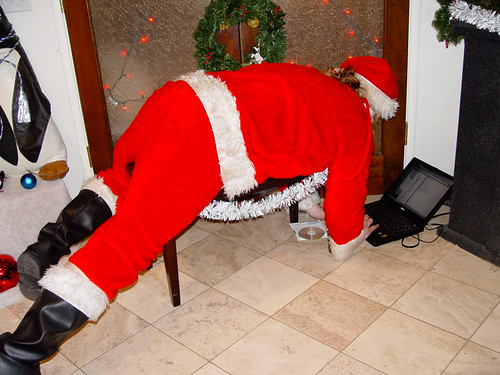
Spending time with family is, of course the ultimate holiday goal for most of us. Thanksgiving with an abundance of food would still be lacking if family members weren't there. However, we're allowing access to the Internet to make it almost okay to be absent from loved ones. One can easily get a medium-priced laptop with a webcam as standard. Families on separate sides of the globe can virtually 'come together' in one room by just the click of a button. While we're not eating together any more (and some may say this is a good thing) the Internet allows us to 'meet', 'talk' and 'spend time together'. We reveal only as much as we want to. We can pull on a tee-shirt while wearing pyjama bottoms, but no one would be the wiser on the other side of the web cam. After twenty minutes (or less) we can click that button, sign out, and go check who's replied to our recent Facebook profile update. We've done the family time. There's no one hanging around to bother us.
The Internet does allow us to have greener holidays

We've almost started a new Christmas tradition in our family. We aim to have greener Christmases, so we never have a real tree. We've invested in a fantastic artificial Christmas tree, which we re-wrap carefully after use each year and store away in our loft (attic). Because most people we know are now latched onto the Internet for dear life, (literally) we send most of our Christmas
greetings as e-Cards. The Internet has so impacted on our holidays that the e-mails we send out to friends and family during this time actually makes us feel like we've made an effort to communicate. But is this really communication?Christmas used to be about people dropping by for a meal or presents. Now an email and an e-Card will suffice. While the Internet, by all means, has empowered us to be every where, all the time, I think it has taken away the personal touch needed to maintain close relationships. Have you noticed how we already prefer to chat with people who're thousands of miles away from us (on Facebook and Twitter) rather than the ones sitting near to us in our homes? What impact is this phenomenon going to have on our Christmas and Thanksgiving this year?
Are we all going to sit by our phones and laptops texting and updating our profiles and tweets and ignore our families? Will the Internet steal your Christmas this year?
Wednesday, October 27, 2010
Blogger's Most Useful Gadgets


To access any of the gadgets, just go to your dashboard, click on design, then add a gadget. After you've added them, just drag and drop them where you'd like them to be. Remember to save the new changes when finished or they won't show up when you click on 'view blog'.
A few of these have appeared in a previous post called, Gadgets to Monetize Your Blog.
Get Answers
This is becoming a very popular gadget on blogs large and small. It not only encourages your visitors to hang around for a while (increasing your bounce rate) but it also persuades them to ask and answer questions of your other readers. This gadget allows your fans to browse questions, submit answers, and vote on answers they think are the best. Soon you could have a regular community on your blog!
Recent Posts (advanced)
Use this to show your Blog's Recent Posts. You can opt to show, thumbnails, summaries and other information like date, number of comments etc. This gadget can be edited to suit your needs. If you’re stuck for space you can merely show clickable links to the names of your posts. Also show as many or as few posts as you like. In addition, you can choose to display your recent posts as a drop down menu if space is a problem. I have both of these on this blog.
Share This
This makes it easy for your readers to share your posts to their favourite social networking sites. I recently found out that my ‘Share this’ icons don’t work. They can be pretty temperamental. However, this Blogger gadget keeps on doing the job. It may not be as attractive as the popular ones on bigger sites, but it gets the job done. It’s also very useful for new bloggers who’ve got limited html knowledge. Just click and add. I'm going to replace the ones I have now with this.
Popular Posts
I've just added this gadget to this blog. I've always wanted to have it, but it was only previously available through a complicated set of html editing. Now you can get it with one click from your Blogger gadgets' page. People like to be a part of a crowd, so if you have popular posts displayed on your page, readers want to see 'what all the fuss is about'. They usually click on it, making your popular posts stay popular. You can choose to display a thumbnail, summary, and other information about the popular posts, or opt for a simply link to the headlines. Make sure your popular posts are all fully monetized. Remember that your regular visitors have already read and commented on them so you don't have to worry about offending them with ads.
Sunday, October 17, 2010
Amazon Payments

Blogger has made it pretty easy for every blogger to become an Amazon affiliate. From your dashboard, just click on Monetize, Amazon Associates, copy the code onto your blog's template and away you go!
But this is the easy part. Most of my friends, and indeed Bloggers I visit regularly are now proudly advertising all sorts of Amazon products on their blogs. It's so easy, right? This means that Amazon has got millions of us advertising for them, free of charge. We pay nothing to join - and this is the way it should be. However, do we ever get paid? Ever?
I've got an immensely popular article (Top Pop Songs To Sing With Your Kids) which comes at the top of Google's searches in the UK. There are 23,900,000 results for this particular search, so you can see the relative popularity of this post. (This piece also comes up in the first page of searches on Yahoo, Bing and Ask).
Now, my Google Analytics tells me that half of the people who land on this page leave via the Amazon links with which I've monetized the article. You see, when I realised how popular this piece had become, I went back to it and embedded links (with my unique code) to the appropriate Amazon pages. I linked to each song on the list with the phrase, 'download this in MP3'. There is no ambiguity. Visitors are told that the link goes to a page from which the track(s) can be downloaded.
Reason tells me that if viewers are voluntarily leaving to go to the Amazon pages, they're doing so to buy copies of the song(s). This particular articular was posted in April. So far, there are no sales recorded in my Amazon reports. Go figure!
I've been thinking about removing Amazon ads from my blogs. Of course, I'll still be keeping an eye out for great book sales etc. My readers won't be very happy if I didn't. Besides, A Blogger's Books is known for finding fantastic deals where books, writings and jobs are concerned. What I'm saying is that Amazon ads take up quite a lot of space on my sites. I could be using this space for programmes that actually properly monetize my blog. I have one such programme in mind. I want to gauge what you all think about Amazon Associates while I make up my mind.
- Are you an Amazon Associate?
- Have you ever been paid?
- Do you think you may have unrecorded clicks/purchases on your Amazon reports?
Please leave your answers below. Thank you. I will update this post in the near future and tell you about another programme which may be worth your while.
Sunday, October 10, 2010
Barnes and Noble Halloween Book Sale!

Link in image is not live. Check for link below
Barnes and Noble have always been one of the best places to shop when it comes to getting great deals on books. They're running a splendid 50% Halloween discount off kids costumes and books at the moment. If Halloween is a holiday you celebrate, this is a deal you won't be able to miss. But this is just the tip of the iceberg. This 50% discount doesn't end at just books. Browse a fantastic array of scary movies and games for the eerie season. Then look up the following:
- Halloween favourite books for adults and teens.
- DVDs and music for kids
- Halloween crafts for the family
- Horror DVDs and scary movies galore!
- Video games
- Featured paranormal and fantasy books, games, DVDs and CDs
Make this a Barnes and Noble sale you grab with both hands because who knows when we'll see one like it again. Click here for more details.
Subscribe to:
Posts (Atom)